
Dec 23, 2024
From Sketch to Prototype: Bringing Your Designs to Life
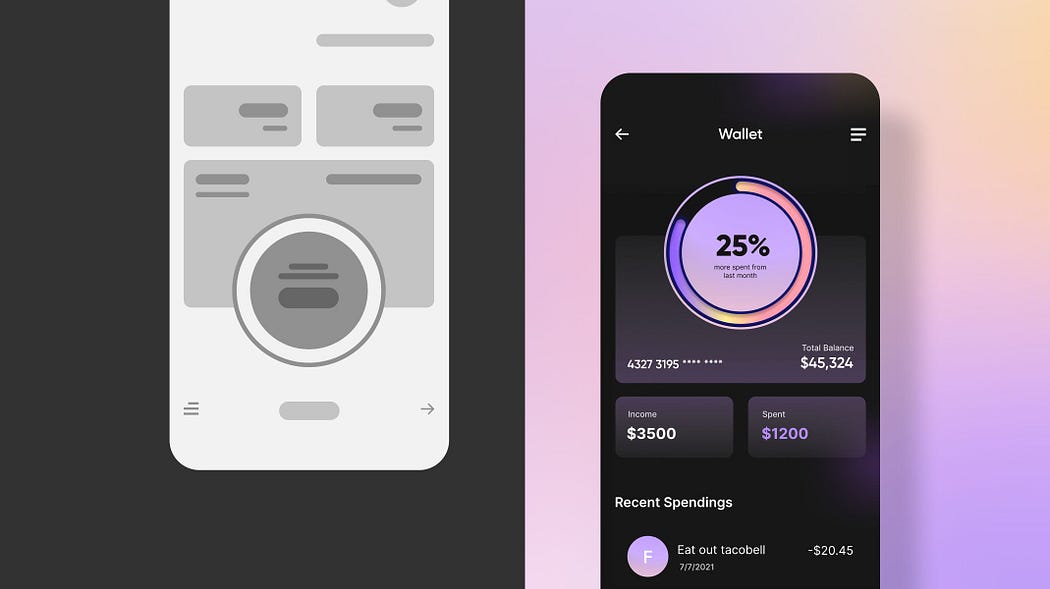
Imagine this: you’re sitting at your desk, sketching out a new idea for an app or website. The sketch is rough — perhaps even a bit messy — but it’s the start of something exciting. Every successful digital product begins with this first step, but here’s the thing: that sketch alone doesn’t tell the whole story. To truly understand how your design will work and how users will interact with it, you need to turn it into something more dynamic, something interactive. This is where prototyping comes in.
Lets explore how to take your initial sketches and transform them into interactive prototypes that you can use to test, refine, and bring your designs to life. Think of prototyping as the bridge between your idea and the final product that users will experience.
Why Prototyping Matters
Before diving into the technical details, let’s talk about why prototyping is so crucial. It’s easy to think of design as a series of pretty pictures or neat layouts, but in reality, good design is about much more than just aesthetics. It’s about creating experiences. And to create experiences, you need to test them.
When you build a prototype, you’re testing usability. You’re seeing how your design actually works, how users interact with it, and where things might go wrong. This is incredibly important because it allows you to identify potential issues early on, before investing too much time or money in development. Prototyping is not just about confirming what works — it’s about discovering what doesn’t work and fixing it in the design phase.
Moreover, prototypes allow you to communicate your ideas more clearly. Whether you’re presenting to stakeholders, collaborating with developers, or discussing the design with clients, having an interactive prototype makes everything clearer. It’s no longer just a conversation about abstract ideas; you’re now showing them exactly what the design looks like and how it will function in the real world.
And of course, prototypes are valuable tools for gathering feedback. By allowing real users to interact with your design, you can see firsthand how they use the product. This feedback is invaluable — it’s your chance to understand user behavior, identify pain points, and fine-tune your design to ensure it meets their needs.
How to Turn Sketches Into Interactive Prototypes
Now that we understand why prototyping is so important, let’s talk about how to do it. The first thing to know is that there are different stages of prototyping, from low-fidelity to high-fidelity, each serving a unique purpose.
Low-Fidelity Prototypes: Start Simple, Test Fast
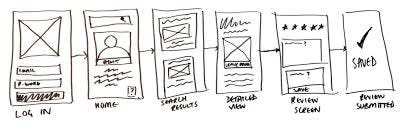
Low-fidelity prototypes are often the first step in transforming a sketch into something interactive. These prototypes are simple, basic representations of your design, often created with just a few clicks using tools like Figma, Adobe XD, or Sketch.
At this stage, you’re not concerned with making everything perfect. The goal is to quickly test your core concepts — things like layout, basic interactions, and navigation. You can think of low-fidelity prototypes as a way to experiment with different design ideas without getting bogged down in details. These prototypes are typically fast to create, which allows you to test multiple ideas and get quick feedback.
For example, let’s say you’re designing a mobile app. You could use a low-fidelity prototype to test basic navigation: does the back button work as expected? Is it easy to understand how users move from one screen to another? These simple tests can give you invaluable insights before you spend too much time on the details.
High-Fidelity Prototypes: Bring Your Design to Life
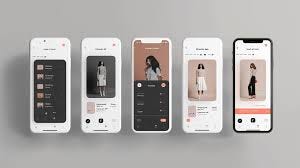
As you move forward in the design process, you’ll want to develop more advanced prototypes that are closer to what the final product will look like. High-fidelity prototypes are much more polished and interactive. They simulate the actual look and feel of the finished product, with realistic colors, fonts, and interactive elements like buttons, links, and animations.
High-fidelity prototypes are especially useful for testing more complex interactions and refining your design. For example, if you’re designing an e-commerce site, you’ll want to test how the checkout process works in your prototype. Can users easily add items to their cart and proceed to checkout? Are the interactions intuitive?
These types of prototypes are also important when you need to show stakeholders or clients a more realistic version of the design. They offer a much clearer picture of the user experience, which helps ensure that everyone is aligned and on the same page.
Press enter or click to view image in full size
Key Considerations for Effective Prototyping
When you’re working on your prototype, there are a few important things to keep in mind to ensure it’s effective:
Focus on Key User Flows: It’s tempting to prototype every tiny detail, but the truth is, you don’t need to. Instead, focus on the most important user flows — the core tasks users will perform in your app or website. For instance, if you’re designing an app, you might focus on how users sign up, navigate through the main features, or make a purchase. By testing these critical flows first, you can ensure that the most important parts of the experience work well.
Keep It Simple: A common mistake in prototyping is adding too much detail too early. Remember that the goal of the prototype is to test your core concepts, not create a finished product. Avoid overcomplicating things with unnecessary features or visual elements that don’t add value. The simpler the prototype, the easier it is to iterate on and test.
Iterate and Refine: Prototyping is an iterative process. You’re not expected to get everything right on the first try. After gathering feedback, make changes to your design and test again. Each iteration helps you refine the user experience and move closer to the final product.
User Testing: Why It’s Essential
User testing is a critical part of prototyping. This is where you get to see how real users interact with your design, and it’s where you’ll learn about pain points, confusion, and frustration. Don’t wait until the product is complete to test it. Testing early and often helps you catch problems before they become costly to fix.
When conducting user testing with a prototype, make sure to observe how users engage with the design. Are they confused by the navigation? Do they struggle to complete key tasks? Watch for signs that something isn’t intuitive, and use that information to refine your design.
Conclusion
Prototyping is an essential step in the design process — it’s the key to transforming your ideas into real-world experiences. By starting with low-fidelity prototypes and gradually refining them into high-fidelity versions, you can test, iterate, and gather feedback to create a product that users will love.
Remember that prototyping is all about understanding the user experience.
The more you test and refine, the better your final design will be. So, embrace the power of prototyping and use it to bring your sketches to life!